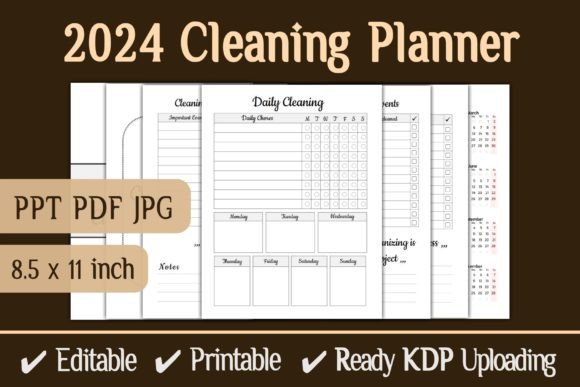
Reseller Planner – KDP Interior
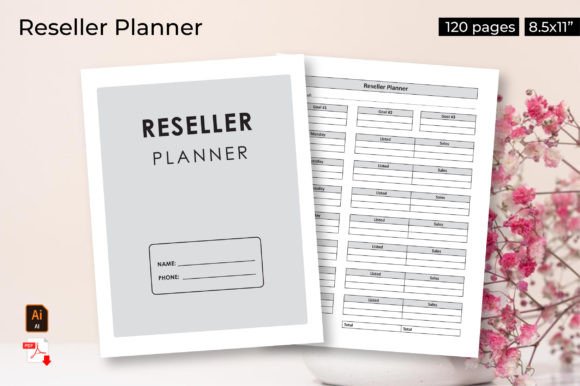
The Reseller Planner – KDP Interior is more than just a file—it’s a turnkey solution for anyone selling or using printable planners within the Kindle Direct Publishing ecosystem or their own print-on-demand ventures. With a clean 8.5x11-inch layout, 120 pages, and full editability in Adobe Illustrator, this interior gives you a solid foundation to build a product that feels complete and professional without starting from scratch.
Whether you’re a designer looking for a rapid launch, an entrepreneur expanding a low-content catalog, or a creator who wants to offer planners to clients with minimal overhead, this resource bridges the gap between a blank canvas and a ready-to-sell product. Below, we explore how different users can leverage its structure, where to find creative freedom within a pre-built frame, and how to keep your final result organized and audience-friendly.
What the Reseller Planner Interior Actually Offers
The interior is pre-formatted with 100% tested layouts, so you don’t have to worry about margin issues, page breaks, or compatibility with KDP’s upload requirements. It comes in multiple formats: JPEG, PDF, and editable Adobe Illustrator Files. That means you can either print directly from the PDF, use the JPEGs for digital mockups or online previews, or dive into the AI files to change colors, fonts, or page elements entirely. Bleed is not applicable, so your design stays within the trim area—a simple and reliable setup for both digital and print-on-demand production.
With 120 pages, you have enough space for a full year of weekly planning, goal tracking, or habit monitoring—or you can break the interior into several smaller products if you prefer. The 8.5x11-inch size is standard for U.S. letter paper, which simplifies printing and retail compatibility.
Creative Possibilities for Different Users
The beauty of a reseller-focused interior is that it’s intentionally generic enough to adapt, yet structured enough to feel finished. Here are several ways to approach it, depending on your role and goals.
For KDP Publishers Launching Low-Content Books
If you’re selling on Amazon KDP, a planner interior must meet certain expectations: clear layout, consistent styling, and enough value to justify the purchase price. This interior gives you that baseline. You can upload the PDF directly after adding a cover and back page, and it will work out of the box. But to differentiate yourself, consider these tweaks:
- Recolor the theme – Open the Illustrator file and shift the color palette to match a niche (pastel for wellness planners, bold for productivity).
- Add branding elements – Insert a small logo or author name on each page spread (footer or header) to build brand recognition.
- Combine pages – Use only 60 pages for a mini planner and offer the remaining 60 as a separate volume. This lets you create multiple products from one interior.
Because the interior is 100% editable, you aren’t stuck with the original look. Changing fonts, line weights, or spacing takes minutes and can completely transform the feel.
For Designers Selling Custom Planners to Clients
If you run a print-on-demand service or design shop for small business owners, this interior can be your starting template for client work. Instead of building every page from scratch, you present the structure and then ask the client how they want it customized:
- Do they need more space for daily notes? Resize sections.
- Do they prefer a Monday start calendar? Adjust the layout.
- Do they want branded headers? Swap in their logo and color swatches.
The editable AI files allow for granular changes. You can also export custom PDFs for each client quickly once you’ve modified the master file. The JPEGs are handy for previews and marketing—upload them to your portfolio without revealing the full editable file.
For Print-on-Demand Sellers on Etsy or Gumroad
Outside of KDP, the interior works perfectly for direct-to-customer sales. You can sell the PDF as a printable planner, or offer a “fillable” version by adding form fields using a tool like Adobe Acrobat. The 120-page length gives customers a comprehensive product, which often justifies a higher price point. You might also create bundled listings: a PDF version plus the AI file for customers who want to customize further.
Practical recommendation: Use the JPEGs to create a preview video or mockup showing the planner in use. This increases perceived value and reduces returns.
Adapting the Interior for Different Audiences and Goals
One of the strengths of a reseller planner is its flexibility across niches. Below are audience-specific approaches that keep the product clear, effective, and original.
Productivity & Entrepreneurs
For business owners, emphasize weekly goal setting, habit tracking, and prioritization. You can rename section headers to reflect “Revenue Goals,” “Marketing Tasks,” or “Weekly Wins.” Keep the design minimal and high-contrast (black ink on white) to save printer toner. Include a “notes” page at the end of each week for reflections.
Wellness & Self-Care Planners
Add soft color tones (light green, blush, lavender) and replace generic labels with “Morning Rituals,” “Gratitude Log,” “Sleep Tracker.” You might also insert a weekly waterproofing tip or a “mood heatmap” page. Since the interior is editable, you can add new spreads or remove existing ones to match a wellness focus.
Educators & Hobbyists
Teachers can use the planner for lesson planning, with columns for Date, Subject, Activity, and Notes. Hobbyists (gardeners, knitters, travelers) can repurpose the pages for project logs or trip itineraries. The key is to keep the structure open-ended so users feel they can make it their own.
Bloggers & Content Creators
Creators who sell printables can pair the interior with a digital course or email series. For example, you could create a “30-Day Content Planner” based on 30 pages from this interior, then offer the full 120-page version as an upsell. The JPEGs become your blog graphics and social media shares, reinforcing the product’s style.
Practical Guidance for a Polished Final Product
A pre-built interior saves time, but a few careful decisions will make your version stand out and remain effective for your audience.
Keep the Layout Consistent
Because this interior already has 120 pages, consistency is built in. Still, check that any elements you add (headers, icons, page numbers) align across all pages. Use the Illustrator file’s layers and grid systems to maintain uniformity. If you’re removing or adding pages, renumber them so the flow stays logical.
Prioritize Readability and Usability
For a planner, white space is not wasted space—it gives users room to write. Avoid overcrowding sections. Use fonts that are easy to read at small sizes (sans-serif is often safer). Test-print a few pages to see how the layout feels in hand. Since bleed is not applicable, be careful that your design doesn’t extend beyond the safe area.
Make It Editable for Your Customers (If Relevant)
If you’re selling a reseller license or a “planner kit,” include the AI files and a brief guide on how to customize colors and text. This adds a lot of value for other creators who may want to tweak the interior. For direct consumers, stick with a clean PDF that they can print and write on.
Format Flexibility: From Digital to Print
The Reseller Planner – KDP Interior is designed to work across platforms, but each format has a best use case:
- PDF – Best for direct printing or upload to KDP. You can also use PDF viewers that support fillable forms.
- JPEG – Ideal for marketing images, social media previews, and digital use in apps like GoodNotes or Notability (import as image).
- Adobe Illustrator (AI) – The master file for all edits. Use it to change colors, add fonts, rearrange sections, or export new versions.
If you plan to sell the interior as a reseller product (allowing others to distribute it), the AI file becomes a key asset. You can also bundle all three formats to appeal to different skill levels.
Final Thoughts: A Reliable Foundation with Room to Grow
The Reseller Planner – KDP Interior isn’t a rigid template—it’s a starting point that respects your time and creativity. By offering tested formatting and multiple file types, it removes the friction of technical setup so you can focus on the parts that matter: personalization, branding, and connecting with your audience. Whether you’re building a low-content catalog for passive income, crafting a bespoke product for a client, or launching your own print-on-demand shop, this interior gives you the structure while leaving the style up to you.
Take advantage of its 120 pages, clean dimensions, and editability to experiment. Change one color and see how the mood shifts. Add a different cover and watch it appeal to a new niche. The real value is not just in what’s included—it’s in what you decide to do with it.